Cracking Nintendo's Bluetooth Low-Energy
Making Nintendo's locked-down controllers work on MacOS
Nintendo's wireless GameCube controllers shipped as Switch 2 proprietary hardware, locked down with a custom Bluetooth Low-Energy protocol that only the Switch 2 knew how to speak. I was the first person after the controller's launch to reverse engineer that protocol, and I wrote a custom driver for macOS (and Linux) that makes it work as a full input device over both USB and BLE.
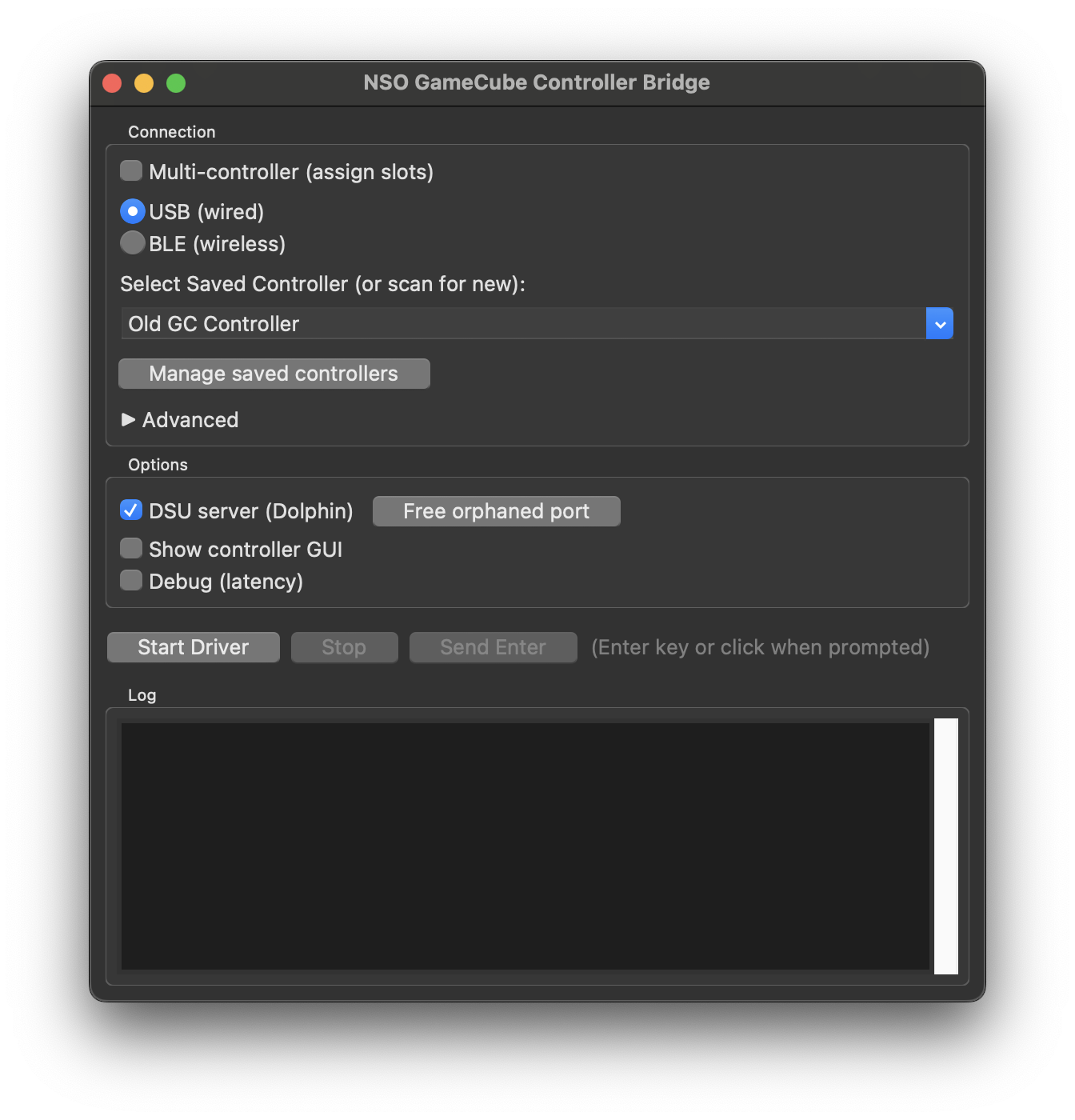
The driver is a downloadable application with support for USB, Bluetooth, multiple controllers, rumble, and a DSU server that feeds directly into Dolphin. This foundational effort laid the groundwork for the open-source modding community to build on, and the technical implementation is at the core of all other similar community drivers.
Sniffing the Bluetooth Packets
My first thought was that I'd need to buy a Bluetooth receiver, but I figured I'd just try reading the raw packets in my laptop's vicinity first. I used Xcode's PacketLogger and added Apple's Bluetooth logging profile to my machine so I could see every Bluetooth signal. Sure enough, the BLE commands from the controller showed up. Every signal you see is the controller broadcasting in pairing mode, waiting for the right handshake pattern, which is the secret sauce that makes it only work on Switch 2.
Finding the Controller
The first challenge was isolating which BLE device was actually the controller among dozens of nearby devices. I wrote a differential scanning tool (--ble-scan-diff) that runs two short scans: one with the controller in pairing mode, one with it off. The devices that disappear between scans are candidates:
Device(s) that disappeared (candidates): 8

  20ACBD16-...  House Keys
  2473D938-...  DeviceName
  3B89AB7F-...  (no name)
  4526A85E-...  (no name)
  ...

Trying each candidate (only the real controller accepts the handshake).
  Trying 20ACBD16-... no
  Trying 2473D938-... no
  ...
Obviously, the first attempt didn't work. None of the candidates accepted the handshake because I hadn't figured out the right handshake sequence yet.
The BLE Handshake
USB and Bluetooth use completely different initialization sequences. For USB, the community had already documented the HID protocol. But for BLE, the controller doesn't even use the standard HID Report characteristic UUID. It's fully custom.
I went looking at BlueRetro (now archived), which had partially figured out the Switch 2 handshake. The key turned out to be a READ_SPI command from the BlueRetro protocol:
# BlueRetro-style BLE handshake: READ_SPI command to wake/init
BLE_HANDSHAKE_READ_SPI = bytearray([
    0x02, 0x91, 0x01, 0x04,
    0x00, 0x08, 0x00, 0x00,
    0x40, 0x7e, 0x00, 0x00,
    0x00, 0x30, 0x01, 0x00
])
With the right handshake in place, the scanner finally identified the controller:
Trying 2473D938-... ✓ controller

Controller at: 2473D938-8EAD-6763-2065-EB0259BA0DC0
Decoding the Input Reports
Getting connected was only half the battle. USB and BLE don't send inputs in the same byte layout at all. The controller uses the Switch HID protocol with 12-bit nibble-packed stick values. Buttons are bit-packed across bytes 2-4 for BLE (or 3-5 for USB); sticks occupy bytes 5-7 (main) and 8-10 (C-stick) for BLE, shifted by one for USB.
I wrote a calibration script that walked through each button and stick direction in series to map exactly which bits corresponded to which inputs. The driver routes by len(data) since the controller can send 63-byte, 62-byte, or shorter reports depending on the connection state:
| Report Size | Format | Parser |
|---|---|---|
| 63 bytes | Discovered layout: nibble-packed sticks, bit-packed buttons | _parse_ble_63_discovered |
| 62 bytes | BlueRetro SW2 layout (different byte offsets) | _parse_ble_blueretro |
| Shorter | NSO-style (report ID sometimes stripped on macOS) | _parse_ble_nso |
Stick Calibration
The stick center isn't a clean 2048, and early samples after connection are noisy. So as part of the connection process, the driver collects 50 stick samples and takes the median per axis as the center value. This way, outliers and connection jitter don't bias the calibration. You can then fine-tune in Dolphin's calibration UI like you would with any other controller.
DSU Server
Rather than installing kernel extensions or creating virtual HID devices, the driver implements the Cemuhook/DSU protocol over UDP. It sends controller state to 127.0.0.1:26760 as structured packets. Dolphin connects to this as a DSU client and sees the controller as a standard input device. The mapping translates GameCube buttons to the DSU equivalents:
- A, B, X, Y → Cross, Circle, Square, Triangle
- Main Stick → left analog, C-Stick → right analog
- L, R → L1, R1; Z → R3; ZL → L2
- Start → Options; D-pad → D-pad
Latency
The driver can measure inter-arrival time (IAT) between input reports. The numbers tell the story of why USB still matters for competitive play:
| Connection | Typical IAT | Why |
|---|---|---|
| USB | ~4 ms | Host polls at 250 Hz |
| BLE | ~30 ms | Limited by BLE connection interval (~33 Hz) |
For context: 8-10 ms is excellent for tight timing (L-cancels, short hops, wavedash). 12-16 ms is okay. Anything above 20 ms and you'll feel it. On Linux, the driver attempts to request a shorter BLE connection interval (7.5-15 ms) via debugfs, but macOS doesn't expose that knob.
Multi-Controller Support
The launcher supports assigning multiple controllers to separate DSU slots, each connecting over USB or BLE independently. You can save controller addresses with friendly names and assign them to specific Dolphin controller ports. In Dolphin, they show up as DSUClient/<slot>/<name>. Each controller gets its own player LED mask per the NSO protocol.
What Made This Hard
The controller doesn't advertise a standard HID service. It doesn't use the standard HID Report UUID. The BLE and USB byte layouts are completely different. The stick center drifts during the first few seconds of connection. And the handshake sequence wasn't documented anywhere publicly. Each of these things, on its own, is a small puzzle. Together, they meant that getting from "I can see Bluetooth packets in PacketLogger" to "the controller works in Dolphin over wireless" was a long road of differential scanning, handshake brute-forcing, byte-level input mapping, and careful calibration.